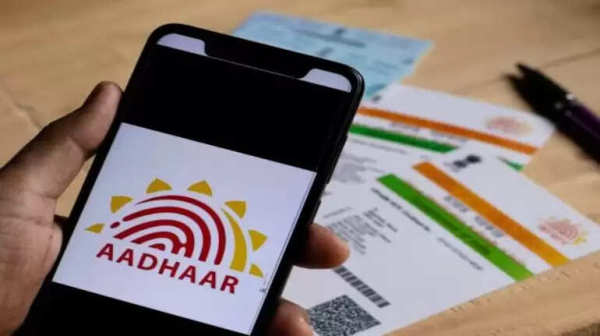
Spelling mistakes on your Aadhaar card can lead to significant issues, especially when trying to access government services or schemes. Even a minor error in your name can cause your application to be rejected or delayed. However, correcting such mistakes is now a hassle-free process that can be done online from the comfort of your home.
If you’ve noticed that your name is incorrectly spelled on your Aadhaar card, don’t worry. The Unique Identification Authority of India (UIDAI) provides a streamlined method to fix these errors easily.
Why Correcting Name Errors is Important
Incorrect details on your Aadhaar card can affect your eligibility for:
-
Government subsidies and schemes
-
Banking and financial services
-
PAN-Aadhaar linking
-
Passport applications
-
School/college admissions
To ensure your records are accurate and to avoid complications, it’s crucial to correct any misspellings or errors in your name promptly.
Steps to Correct Name Spelling on Aadhaar Online
You can update the spelling of your name online via the official UIDAI website. Follow these simple steps:
1. Visit the UIDAI Website
Go to the official UIDAI portal:
2. Access the Update Section
-
Click on the ‘My Aadhaar’ tab.
-
Choose ‘Update Demographics Data Online’.
3. Login Using Aadhaar Credentials
-
Enter your 12-digit Aadhaar number and the captcha code.
-
Click on ‘Send OTP’.
-
Enter the OTP received on your registered mobile number to proceed.
4. Make the Necessary Changes
-
Select the ‘Name’ field to update.
-
Correct the spelling as needed.
5. Upload Supporting Documents
-
Upload a scanned copy of a valid document that supports your correct name spelling (see list below).
6. Review and Submit
-
Carefully review all entered details.
-
Click ‘Submit’ to complete the process.
List of Acceptable Documents
To support the name correction request, UIDAI accepts 32 different documents. Some of the commonly accepted ones include:
-
PAN Card
-
Passport
-
Voter ID
-
Ration Card
-
Driving License
-
Bank Passbook
-
Kisan Card
-
Any Government-issued document with your correct name
Make sure the name on the document exactly matches the name you wish to update on your Aadhaar card.
Offline Option: Visit an Aadhaar Seva Kendra
If you’re not comfortable making changes online, you can also schedule an appointment at your nearest Aadhaar Enrollment/Update Centre. Carry your original documents and a photocopy for verification.
Processing Time and Charges
-
Time: Updates usually take 7–10 working days to reflect.
-
Fee: A nominal fee of ₹50 may be charged for demographic updates.
⚠️ Disclaimer
The process outlined above is based on the official guidelines from UIDAI. It is important to ensure that all the information provided is accurate and documents submitted are valid. The UIDAI holds the right to reject the request if discrepancies are found. Please use only the official UIDAI portal to avoid fraud or unauthorized access. This article is meant for informational purposes only.