
We may receive a commission on purchases made from links.
Wi-Fi 7 is no longer a speculative concept for rumor-mongers. It is real, fast, and powerful. The latest generation in wireless connectivity leaves little to be desired. In fact, once in use, you should easily be able to differentiate between the features of Wi-Fi 7 and Wi-Fi 6. After all, you can download a 15GB file in just 25 seconds with it. Theoretically, Wi-Fi 7 can reach speeds of up to 46 Gbps, but Intel tests showed data rates of up to 5.8 Gbps. This is still more than double that of Wi-Fi 6 and Wi-Fi 6E. It has an ultra-low latency, and can better handle multiple devices at the same time.
In truth, Wi-Fi 7 is like giving your internet a jetpack. But hold on a minute, before you start dreaming of smooth 8K streaming and instant file transfers. There are certain things that may stand in the way of your potential upgrade. Not every laptop can be upgraded to Wi-Fi 7. To know where you and your laptop belong, you’ll need to inspect certain components. With that in mind, here’s what you need to check first if you want to upgrade your laptop to Wi-Fi 7.
How to tell if your laptop is even upgradeable
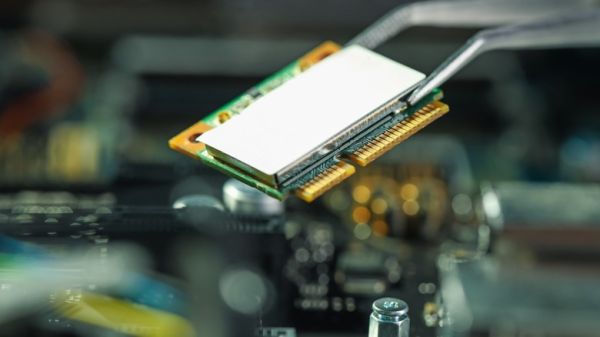
Like most powerful upgrades, Wi-Fi 7 needs new hardware to function. You need to have a Wi-Fi 7 router. Most of the major wireless router brands offer this. If you want to upgrade your laptop’s built-in Wi-Fi, you’ll need a Wi-Fi 7 card. The Wi-Fi on your laptop functions with something called a Wi-Fi card or Wi-Fi adapter. They are the hardware component that enables your device to form a connection with your router. Think of it like the bridge between your laptop and the Wi-Fi connection. You’ll need a card like the Intel BE200 Wi-Fi 7 M.2. Your current Wi-Fi 5 or Wi-Fi 6 card won’t cut it.
You need to try and access the Wi-Fi card of your laptop. So, try flipping your laptop over to see if you can find it. This should be easy if your laptop has a removable back panel. Once you’re in, look for a small M.2 card. It is usually next to the RAM or fan, but check your owner’s manual to be certain. If you find it there, the next step is to see if it’s detachable. Some laptops have the Wi-Fi card soldered and non-removable. If yours is detachable, then you’re golden, just swap it out for a card that supports Wi-Fi 7. If yours is soldered in, or you’re not comfortable opening your laptop up, try using a Wi-Fi 7 external USB adapter (like this one from Asus) as a plug-in alternative.