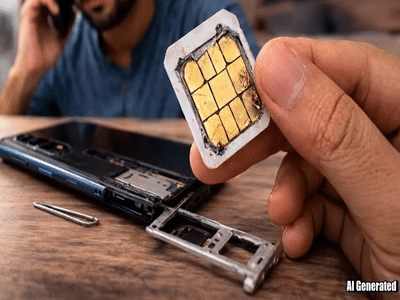
A SIM card is one of the most important components of a mobile phone. It enables calling, messaging, receiving OTPs, and accessing mobile data. However, many users suddenly face issues where the phone shows “No SIM” or “Invalid SIM”, even though the card has not been removed from the device.
Experts say that SIM cards can get damaged due to several technical and environmental factors. Here are the four most common reasons.
1. Moisture or Liquid DamageExposure to moisture or water can damage the SIM card. Even humidity or air moisture can cause oxidation on the metal contacts, which disrupts the electrical connection between the SIM card and the phone.
If water accidentally enters the phone, the SIM card may stop functioning properly.
2. Overheating of the PhoneIf a smartphone frequently overheats, it can also affect the SIM card. SIM cards are made with plastic and microchips, and excessive heat can damage their internal circuitry.
Overheating usually occurs due to heavy gaming, prolonged charging, or running multiple apps simultaneously.
3. Wear and Tear of the SIM ChipA SIM card can also stop working after years of use. Repeatedly removing and inserting the SIM or using the same card for a long period can wear out the chip.
When the chip becomes worn or scratched, the phone may fail to read it properly.
4. Voltage Fluctuation While ChargingUnstable electricity during charging can sometimes corrupt the SIM chip. Voltage fluctuations can affect internal phone components, including the SIM interface.
Using low-quality chargers or cables may increase the risk of such issues.
Signs That Your SIM Card Is DamagedIf a SIM card is faulty, your phone may display these messages:
-
No SIM detected
-
Invalid SIM
-
Sudden loss of network signal
In such cases, users may need to replace the SIM card by visiting the nearest service center of their telecom provider, such as Airtel, Jio, or Vodafone Idea.
Simple Tips to Protect Your SIM Card-
Avoid exposing your phone to water or humidity
-
Do not remove the SIM card frequently
-
Use original chargers and cables
-
Keep the phone from overheating