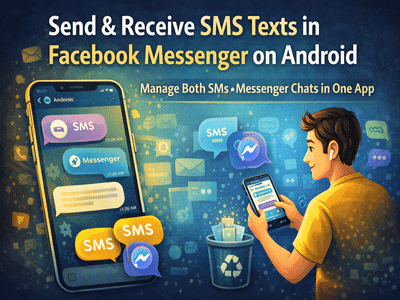
While internet-based messaging apps dominate today’s communication landscape, traditional SMS texting still plays an important role—especially in situations with limited connectivity or for receiving essential alerts. Many Android users may not realize that Facebook Messenger can double as a full-featured SMS application, allowing them to manage both standard text messages and Messenger chats in one place.
Owned by Meta, Facebook Messenger includes an option that lets Android users set it as their default SMS and MMS app. Once activated, you can send and receive regular mobile text messages directly through Messenger, alongside your Facebook conversations. This integration offers a convenient way to avoid switching between multiple messaging apps. 📱💬
Why Use Messenger for SMS?Text messaging (SMS) remains a reliable communication method because it does not require an internet connection. It is commonly used for:
- Communication in low-network areas
- Receiving OTPs and service alerts
- Contacting users who don’t use messaging apps
- Emergency communication
By enabling SMS support in Messenger, you can consolidate all these interactions into a single interface, making message management simpler and more efficient.
Security and Privacy FeaturesMessenger also offers end-to-end encryption for supported chats, meaning messages are protected from the moment they leave your device until they reach the recipient. According to Meta, this ensures that no third party—including the company itself—can access the content of encrypted conversations.
It’s important to note that encryption applies to Messenger conversations, not traditional SMS messages, which follow standard carrier protocols.
What You Can Do with SMS in MessengerWhen SMS functionality is enabled, Messenger supports many features beyond plain text, including:
- Sending and receiving SMS and MMS messages
- Sharing photos, videos, and audio files
- Using emojis and stickers
- Sharing location information
However, advanced Messenger-only features—such as GIF search, money transfers, voice/video calls, and ride requests—require internet connectivity and work only within Messenger chats, not SMS.
Another key point: SMS messages sent via Messenger are handled by your mobile carrier. They are not uploaded or stored on Facebook’s servers, and standard messaging charges may apply based on your plan.
Step-by-Step: How to Enable SMS in Messenger on AndroidFollow these simple steps to turn Messenger into your default texting app:
Once enabled, Messenger will handle both your internet-based chats and traditional text messages.
How Conversations Appear in the AppMessenger visually distinguishes between the two types of communication:
- SMS conversations typically appear in one color theme (often purple).
- Messenger chats use the standard blue theme.
This makes it easy to identify whether a message was sent through your mobile network or via the internet.
Important Limitations to Know- The SMS feature is available only on Android devices.
- Recipients can use any phone or platform to receive your texts.
- Standard carrier fees may apply.
- Some advanced Messenger tools do not work with SMS.
Combining SMS and online messaging into a single app can significantly streamline communication, especially for users who frequently switch between traditional texting and social messaging. Facebook Messenger’s SMS integration provides a practical solution for managing everything from personal chats to service notifications in one unified inbox.
If you prefer simplicity and convenience without sacrificing connectivity, enabling SMS support in Messenger could transform the way you communicate on your Android phone.