If you have a password-protected PDF file and want to remove its password, then there are some easy ways for this. To remove the password from any PDF file, you can take the help of websites like Smallpdf, and iLovePDF. Go to any of the websites given above.

Upload your password-protected PDF. Enter the password and click on ‘Unlock’ or ‘Remove Password’. Download the new unlocked PDF, although there is a risk of data leaks on these websites. If you have Google Chrome on your computer, you can easily remove the password.

For this, open Google Chrome. Drag and drop the password-protected PDF into Chrome. Enter the password to open the PDF. Now press Ctrl + P (Windows) or Cmd + P (Mac). Select Save as PDF in ‘Destination’ and click on Save. The new PDF will be saved, which will not have a password.

Disclaimer: This content has been sourced and edited from Amar Ujala. While we have made modifications for clarity and presentation, the original content belongs to its respective authors and website. We do not claim ownership of the content.

Read more
"Our goal is to start animal husbandry for income": Union Agriculture Minister Shivraj Singh Chouhan
Newspoint
IPL 2026: Former RCB coach believes LSG could target Matheesha Pathirana at auction
Newspoint
BBL 2025-26: Match 1, SCO vs SIX Match Prediction – Who will win today's BBL match between Perth Scorchers vs Sydney Sixers?
Newspoint
Virat Kohli set for Domestic return as Chinnaswamy Stadium gets clearance
Newspoint
Future Looks Bright For 'very, Very Talented' India U19 Men's Ahead Of Next Year's World Cup
Newspoint
Today Wordle Answer, Hints And Clues For December 13: Easily Solve Today’s December 13 Wordle Using Easy Hints, Clues, and the Final Answer Guide
Theindiaprint
Will Salah be back in Liverpool squad’s for the Brighton game?
Tezzbuzz
Organiser Arrested After Messi’s GOAT Tour To Kolkata Turns Messy; Mamata Orders Probe
Tezzbuzz
Chhattisgarh: Declaring Kopra Reservoir as the first Ramsar site of the state is a proud moment for Chhattisgarh – CM Vishnu Dev Sai – Keeping an eye on every movement of the media world.
Tezzbuzz
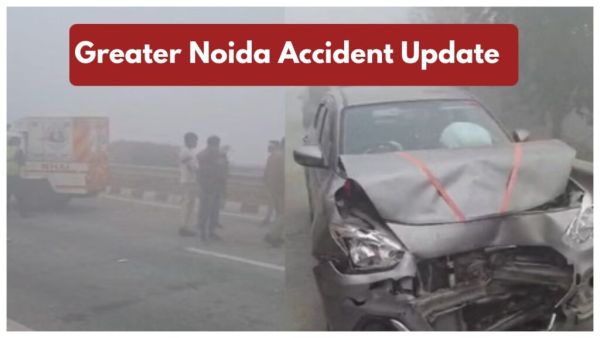
Greater Noida Accident Update – 12-Vehicle Collide on Due to Zero Visibility, Multiple Injured
Tezzbuzz