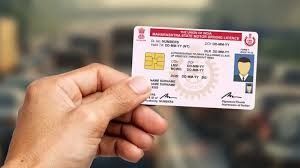
News India Live, Digital Desk: Driving License (DL) is one of our most important documents. But many times it happens that the mobile number we had given while getting the license has changed. In such a situation, any important information or update to the license, such as challan information or renewal reminder, does not reach us.
Earlier, even for this small work, one had to make long trips to the RTO (Regional Transport Office) and stand in queues for hours. But now you don’t need to do all this at all. Thanks to ‘Digital India’, you can now do this work from the comfort of your home, from your mobile or computer. in just a few minutes Can do.
So, let us tell you the easiest and step-by-step way to update your mobile number in the driving license.
What would you need?
There are just a few things you need to have for this online process:
- your driving license number
- Your new mobile number (which can receive OTP)
- a good internet connection
Step-by-Step method to update number sitting at home:
- Visit the ‘Transport’ website: First of all visit the official website of Ministry of Road Transport and Highways in your web browser. sarathi.parivahan.gov.in Open the.
- Select your state: As soon as the website opens, you will get the option to select your state. Select your state from the drop-down menu.
- Go to ‘Update Mobile Number’: Now many options will appear on your screen. Of these you ‘Others’ Have to click on the tab, and inside that ‘Mobile Number Update’ Option has to be selected.
- Fill the license details: Now a new page will open, where you will have to select the search criteria. Here select ‘Driving License’ and fill the information required below:
- Driving License Number: Enter your DL number.
- Date of Birth: Enter your date of birth.
- Verify with OTP: After filling the details and submitting, you will see the complete details of your driving license. At the bottom of the page you will get the option to enter your new mobile number.
- own New 10 digit mobile number Enter it and confirm it again.
- In ‘Reason for Update’ you can write ‘Mobile Number Change’ or anything.
- Now click on ‘Proceed’. one on your new number OTP (One Time Password) Will come.
- Enter OTP and it’s done!
- Simply, enter that OTP in the box given on the website and click on ‘Verify’.
- As soon as the OTP is verified, the message ‘Mobile Number Successfully Updated’ will appear on your screen.
That’s it, your work is done! Now you will get every information to your driving license on your new mobile number. This process not only saves your precious time but also frees you from the hassle of RTO.