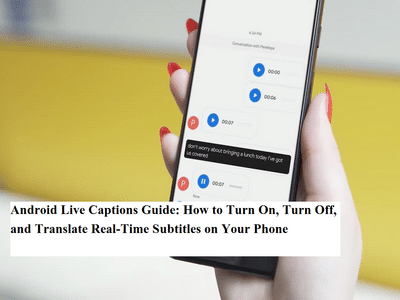
Accessibility tools on smartphones have evolved rapidly, and one of the most practical features available today is Live Captions. Introduced by Google for devices running Android 10 or later, this built-in function automatically generates on-screen subtitles for any audio playing on your phone. Whether you’re watching videos, listening to voice notes, or playing recorded media, Live Captions converts speech into text instantly — even when your device is muted.
Originally inspired by captioning systems used on platforms like YouTube, the feature has since become a powerful accessibility and convenience tool across Android devices. Here’s a complete step-by-step guide on how to enable, disable, and translate Live Captions, along with important details you should know.
What Is Android Live Captions?Live Captions is a real-time speech-to-text feature that automatically displays captions for audio content playing on your phone. It works for:
- Videos stored on your device
- Streaming media
- Podcasts and voice messages
- Screen recordings
- Social media clips
One of its biggest advantages is that it does not require an internet connection. The captioning process runs directly on the device, meaning no audio data is sent to external servers. This makes it both private and efficient.
However, there are a few limitations. The feature does not work during phone calls or video calls, and it’s only supported on Android 10 or newer versions.
Supported LanguagesCurrently, Live Captions supports a limited set of languages:
- English
- French
- German
- Italian
- Japanese (Beta)
More language options may be added in future updates as speech recognition technology improves.
How to Enable or Disable Live CaptionsTurning Live Captions on or off is quick and simple. You can use either the volume button shortcut or the Quick Settings panel.
Method 1: Using Volume ButtonsIf you want captions in another supported language, you can change the language settings easily:
The captions will now appear in the selected language whenever audio plays.
Why Live Captions Are UsefulLive Captions are more than just an accessibility feature. They are helpful for many everyday situations, such as:
- Watching videos in noisy environments
- Understanding content when wearing headphones isn’t possible
- Following dialogue in a different accent
- Learning new languages through subtitles
- Watching content quietly in public spaces
Because the feature works offline, it’s especially useful for travelers or users with limited data access.
Privacy and Performance BenefitsUnlike some speech recognition tools that rely on cloud processing, Live Captions operates entirely on the device. This offers two major advantages:
- Privacy: Audio never leaves your phone.
- Speed: Captions appear instantly without network delays.
Android’s Live Captions feature is a simple yet powerful tool that improves accessibility, convenience, and usability for millions of users. Once enabled, it becomes one of those features you may not realize you needed — until you start using it daily.
If your device supports it, enabling Live Captions can transform how you interact with audio content, making media more inclusive, flexible, and easier to understand anytime, anywhere.