WhatsApp has been steadily introducing new features to improve communication and content sharing on its platform. One of the most notable additions is WhatsApp Channels, a feature that allows individuals, creators, and organisations to broadcast updates to a large number of followers. With this feature, administrators can share announcements, news, photos, videos, and other content in a structured format.
Initially introduced in select regions, WhatsApp Channels has now been rolled out globally, including India. The feature is designed to provide a simple, reliable, and private way for users to receive updates from people and organisations they follow. Since its launch, many users have started creating channels to share information, promote brands, or keep followers informed about various topics.
To help channel administrators manage their content and branding effectively, WhatsApp offers several customization options. One of the most useful options is the ability to edit or update the channel name whenever needed. Changing your channel name can help improve visibility, correct mistakes, or align your channel with a new theme or brand identity.
Below is a complete guide explaining how to edit your WhatsApp Channel name, along with key details about the feature.
What Are WhatsApp Channels?WhatsApp Channels function as a one-way broadcasting tool. This means administrators can send updates to followers, but followers cannot respond directly within the channel feed.
This structure helps keep updates organised and ensures that important announcements are not lost in conversations. Channel updates appear in a separate “Updates” tab within the WhatsApp app, keeping them distinct from personal chats and calls.
Another important aspect of WhatsApp Channels is user privacy. When someone follows a channel, their phone number and personal details are not visible to the administrator or other followers. Similarly, the admin’s phone number remains hidden from subscribers.
This makes the feature ideal for public communication, news updates, business announcements, and community broadcasts.
Why You Might Want to Change Your Channel NameUpdating your WhatsApp Channel name can be useful for several reasons. Channel owners often modify their names to:
- Rebrand the channel with a new identity
- Fix spelling errors or formatting issues
- Make the name clearer and easier to recognise
- Align the channel name with a business, organisation, or campaign
- Improve discoverability when people search for channels
Since WhatsApp allows admins to update their channel information anytime, you can easily adjust your channel name whenever required.
WhatsApp Channel Name Character LimitBefore editing your channel name, it is important to understand the platform’s naming guidelines.
- The maximum length of a WhatsApp Channel name is 100 characters.
- The name should be clear and relevant to your content.
- Avoid overly long or confusing names to ensure followers can easily recognise your channel.
Choosing a short and memorable name can help attract more followers and make your channel easier to find.
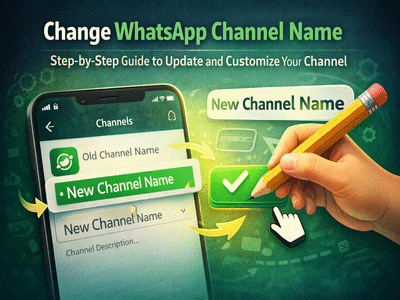
Step-by-Step Guide to Edit WhatsApp Channel NameIf you are the administrator of a WhatsApp Channel, you can update the name by following these steps.
Step 1: Open WhatsAppLaunch the WhatsApp application on your smartphone.
Step 2: Go to the Updates SectionNavigate to the Updates tab, where all WhatsApp Channels are displayed.
Step 3: Select Your ChannelTap on your channel to open it.
Step 4: Tap the Channel NameAt the top of the screen, tap the channel name to access its details.
Step 5: Open Channel InformationSelect Channel Info, then choose the Edit Channel option.
Step 6: Enter the New Channel NameType the updated name you want for your channel.
Step 7: Save the ChangesTap the checkmark icon to confirm and save your updated channel name.
Once saved, the new name will be visible to your followers and anyone viewing the channel.
Additional Customisation Options for WhatsApp ChannelsApart from editing the channel name, WhatsApp also allows administrators to customise other elements of their channel profile. These include:
- Channel description – Explain what type of content followers can expect.
- Channel icon – Add a logo or image representing your channel.
- Reaction emojis – Select which emojis followers can use to react to updates.
These customization options help make your channel more engaging and appealing to followers.
WhatsApp Channels is quickly becoming a powerful tool for sharing updates with large audiences while maintaining privacy and simplicity. The ability to edit and customise your channel name gives administrators greater control over how their channel appears to followers.
By following the simple steps outlined above, you can easily update your channel name and ensure that it reflects your brand, message, or content strategy. As WhatsApp continues to expand its Channels feature, users can expect even more tools to help them manage and grow their audience effectively.