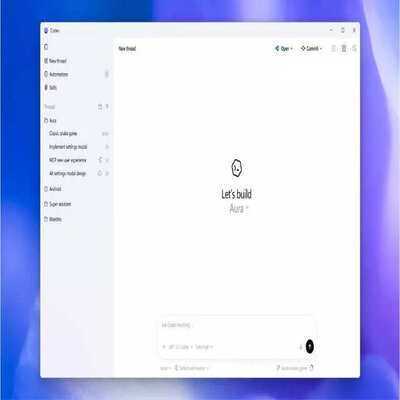
Codex brings AI coding agents to Windows
With the new Windows app, developers can use Codex directly in their desktop environment. The app allows developers to run multiple AI agents across different projects at the same time, automate routine tasks and connect agents to external tools through a feature called Skills.
Developers can also review and guide the work done by AI agents without losing context within their projects.
The app runs natively on Windows using PowerShell and Windows sandbox, and it can also be configured to run through Windows Subsystem for Linux (WSL).
OpenAI said the Windows version of Codex is built to work with the tools developers already use.
The app allows users to select preferred editors such as Visual Studio or Visual Studio Code. Developers can also choose their default terminal environment, including PowerShell, Command Prompt, Git Bash or WSL.
Codex integrates with common developer tools such as Git, Node.js, Python, .NET SDK, and the GitHub CLI, which helps developers manage code repositories and automate workflows.
OpenAI said these tools help the AI agents perform tasks more efficiently.
OpenAI’s Codex available across ChatGPT plans
The Codex app is available across multiple ChatGPT subscription plans, including Free, Go, Plus, Pro, Business, Enterprise and Edu.
Developers can access Codex through the desktop app, command line interface, IDE extensions and cloud services using a single account.
The Windows app can be downloaded from the Microsoft Store, and enterprise administrators can deploy it using enterprise management tools.
The launch comes as Codex adoption grows quickly among developers. OpenAI said weekly active users have tripled this year to more than 1.6 million, while overall usage has increased more than five times.
The Windows version follows the release of the Codex desktop app for macOS, which recorded more than one million downloads in its first week.