Smartphone Care Tips: Water and other liquids are the arch-enemies of smartphones. In fact, liquid damage is often not even covered under the warranties offered by many manufacturers. Consequently, people live in constant fear of dropping their phones into water or similar substances. If a phone does fall into water and gets wet, people often instinctively turn it on immediately to check if it is still working, and then proceed to place it in a bowl of rice or similar material to dry it out. It is important to note that both of these actions can be extremely detrimental. Let's find out exactly what you should do after your phone gets wet.
What to Do After Your Phone Gets Wet?
Switch Off the Phone: If your phone has gotten wet, do not use it; switch it off immediately. If you keep the phone turned on just to check whether it is still functioning, you are risking significant damage. Using a wet phone can cause irreparable harm to its internal components.
Remove Accessories and SIM Card: To facilitate drying, remove any protective covers or cases from the phone. Additionally, take out the SIM card, memory card, and any other accessories inserted into the device.
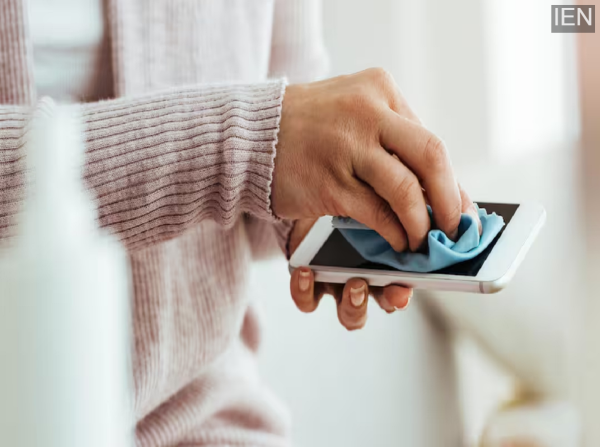
Clean with a Soft Cloth: Gently wipe down the exterior of the phone using a dry, soft cloth. This will remove any water accumulated on the device's surface; allow it to air dry thoroughly afterward. If the phone still does not switch on after it has completely dried, take it to an authorized service center.
Avoid Shaking or Moving the Phone: Many people attempt to force the water out of their phone by shaking it vigorously. This can be a dangerous practice; instead of expelling the water, shaking the device may actually cause the liquid to penetrate deeper into the internal components. Therefore, simply switch off the phone and place it in a well-ventilated area.
Things You Should NOT Do After Your Phone Gets Wet
Some people attempt to dry their phone by using a hair dryer. The heat emitted by a dryer can damage the phone's internal parts; therefore, this should be avoided.
Refrain from placing the phone in direct sunlight. Excessive exposure to sunlight also carries the risk of damaging the internal components.