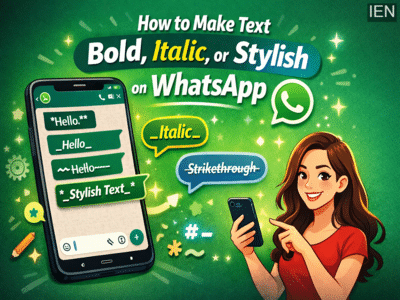
In today’s digital age, messaging apps have become an essential part of everyday life, and WhatsApp remains one of the most widely used platforms. From sending quick updates to sharing long conversations, people spend hours chatting daily. But if you’re tired of plain, boring text, there’s good news—you can easily make your messages more attractive using simple formatting tricks.
WhatsApp offers built-in text styling features that allow you to change the appearance of your messages without installing any extra apps. Whether you want to highlight a word, emphasize a sentence, or make your chat look creative, these easy tricks can instantly upgrade your messaging experience.
Let’s explore how you can format your WhatsApp text step by step.
How to Make Text Bold on WhatsApp
If you want to make your message stand out, bold text is the easiest option. You don’t need to open any settings or menus.
How it works:
-
Simply add an asterisk (*) before and after the word or sentence.
Example:
*Hello* → Hello
This trick is perfect for highlighting important words or making your message more noticeable in a chat.
How to Write Italic Text on WhatsApp
Italic text gives your message a stylish and slightly softer look. It’s useful when you want to emphasize something subtly.
How to do it:
-
Add an underscore (_) at the beginning and end of the text.
Example:
_Hello_ → Hello
Make sure you place the underscore on both sides of the word, or it won’t work properly.
How to Strike Through Text
Want to show edits, sarcasm, or corrections in a fun way? You can strike through text easily.
Steps:
-
Use the tilde (~) symbol before and after the text.
Example:
~Hello~ → Hello
This format is often used to show deleted or replaced words in a creative manner.
How to Use Multiple Formats Together
One of the most interesting features of WhatsApp is that you can combine multiple text styles in a single message.
For example, if you want text to be both bold and italic:
Example:
*_Hello_* → Hello
By mixing symbols like *, _, and ~, you can create unique styles and make your messages more expressive.
Why Use Text Formatting on WhatsApp?
Using these formatting tricks isn’t just about looks—it also improves communication. Here’s how:
-
Better clarity: Highlight important points in long messages
-
Creative chats: Make conversations more fun and engaging
-
Professional use: Format messages clearly in work-related chats
-
Personal expression: Add emotion and tone to your text
Tips to Enhance Your WhatsApp Messaging Experience
-
Use formatting sparingly to avoid clutter
-
Combine styles only when necessary
-
Try different formats in personal chats before using them professionally
-
Keep messages simple and easy to read
Final Thoughts
WhatsApp is no longer just a simple messaging app—it’s a platform where communication meets creativity. With these easy text formatting tricks, you can transform your plain messages into stylish and engaging conversations.
The best part is that these features are built into the app, so you don’t need any third-party tools. Just a few symbols can completely change how your message looks and feels.
So next time you open WhatsApp, try these tricks and give your chats a fresh, creative touch!