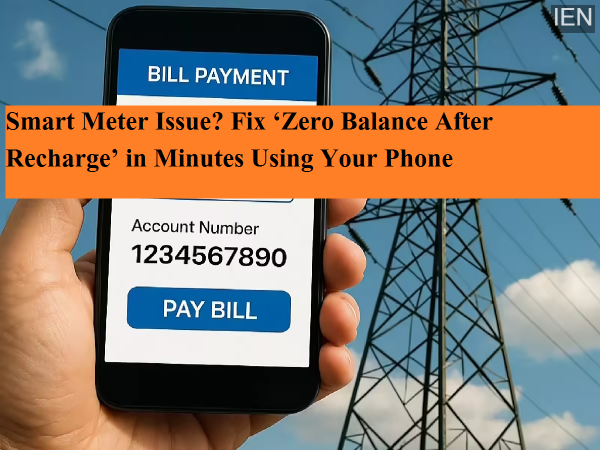
Electricity Meter Showing Zero Balance After Recharge? Here’s a Quick Fix Guide
With the rollout of smart prepaid electricity meters under government initiatives, managing electricity consumption has become more convenient. However, many users often face a frustrating issue—despite recharging their smart meter, the balance still shows zero.
If you’ve encountered this problem, there’s no need to panic or rush to the electricity office. In most cases, the issue can be resolved within minutes using your mobile phone. Here’s a complete guide to understanding the problem and fixing it quickly.
Why Does the Smart Meter Not Update After Recharge?
This issue usually occurs due to a lack of synchronization between the server and the electricity meter. Common reasons include:
- Temporary server delays
- Poor network connectivity
- Delay in syncing payment data with the meter
As a result, even after a successful payment, the updated balance may not reflect immediately on your meter display.
Quick Steps to Fix the Zero Balance Problem
If your smart meter is not showing the updated balance, follow these simple steps:
1. Use Your Electricity Provider’s Official App
Open your electricity board’s official mobile app such as:
- UPPCL Smart Consumer
- Suvidha or similar state-specific apps
Once logged in:
- Look for options like “Refresh” or “Push Data”
- Tap on it to sync your payment data
This will update the balance between the app and the meter.
2. Check Transaction History
If the balance still doesn’t update:
- Go to the History or Transaction section in the app
- Verify whether the recharge was successful
- Check the token or transaction ID
3. Refresh the Meter Manually
In some states, you can refresh the meter display manually:
- Press and hold the meter button for around 5 seconds
- This triggers a display refresh and may update the balance
4. Call the Helpline
If none of the above steps work, contact your electricity provider:
- Dial 1912 (common electricity helpline)
- The support team can send a remote command to update your meter balance instantly
State-Wise Smart Meter Helpline Numbers
If you need direct assistance, here are some key helpline numbers:
- Uttar Pradesh (UPPCL): 1800-202-240 / 1800-202-1810
- Bihar (NBPDCL/SBPDCL): 1800-345-6198
- Madhya Pradesh: 1800-233-1266 / 1912
- Rajasthan: 1800-180-6507 / 1800-180-6045
- Delhi (Tata Power-DDL): 1800-208-9124 / 19124
- Maharashtra (MSEDCL): 1800-233-3435
- Assam (APDCL): 8876100100
- Haryana (DHBVN/UHBVN): 1800-180-4334 / 1800-180-1550
Best Apps to Resolve Smart Meter Issues
Instead of waiting on calls, you can also use official apps for faster resolution:
- UPPCL Smart Consumer (Uttar Pradesh)
- Bihar Bijli Smart Meter App
- Smart Bijlee App (Madhya Pradesh)
- Bijli Mitra (Rajasthan)
- TPDDL Connect (Delhi)
- Mahavitaran App (Maharashtra)
- myBijli App (Assam)
How to File a Complaint via App
Follow these steps:
Your issue is usually resolved quickly once submitted.
Final Takeaway
A zero balance display after recharge is a common but temporary issue with smart meters. In most cases, it’s caused by syncing delays rather than payment failure.
By using official apps, refreshing data, or contacting support, you can resolve the problem within minutes—without stepping out of your home.
If you face this issue again, remember these quick fixes and stay stress-free.