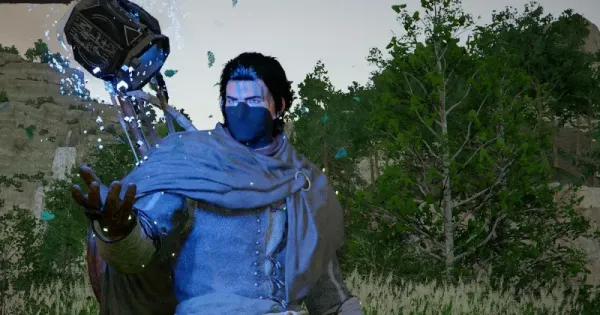
Do you want to customize your armor in Crimson Desert by dyeing it? Here is how you can do it and make a new armor out of it. So, let’s get started and see how one can dye an armor and proceed in the game.
What does it mean to dye one’s armour in Crimson Desert? Does it cost?
In Crimson Desert, dyeing your armor is all about having some customization with your equipment. It allows you to be unique and different from the standard mercenary look and customize Macduff’s gear to fit your vibe! So, whether you want to blend into the snowy mountains or simply do it just because you want it, it is all good.
And to be honest with you, it isn’t totally free either. It doesn’t require direct money, but you have to have Dyes, which are often gathered, crafted, or even bought, along with a small amount of Silver. That is the amount you pay in exchange for the needed dye. Some rare pigments, if that is your choice, might require a larger amount of silver and a little more effort. However, the base customization is usually easier and cheaper too.
Steps to dye an armor in Crimson Desert
If you want to dye your armor in Crimson Desert, then these are the steps that you need to follow.
- To begin, just open your main menu and go to the Character or Equipment tab. You can find all your gear up there.
- Now you need to find a specific sub-menu or icon labeled Appearance or Dye. The game separates cosmetic changes from functional gear stats to make customization easier and also to prevent players from getting confused.
- You can select the specific piece of armor you want to change, or boots. Most high-tier sets allow you to color individual sections like leather straps, metal plates, and stuff, which is like a bulk deal.
- The best part is, you can also choose your colors. You will need to have dyes already in your inventory or unlocked in your collection to make the pick. And as we said earlier, these are often obtained through crafting, world exploration, or sometimes even as rewards for completing some milestones.
- Check again the changes you have made to be sure you like them. You can check from different angles too. Also, check the required cost at the bottom of the screen. It is usually some amount of silver, and make sure you have it with you.
Once all is set, simply confirm the application to save your new look. After you exit from there, Macduff will showcase all the made changes.